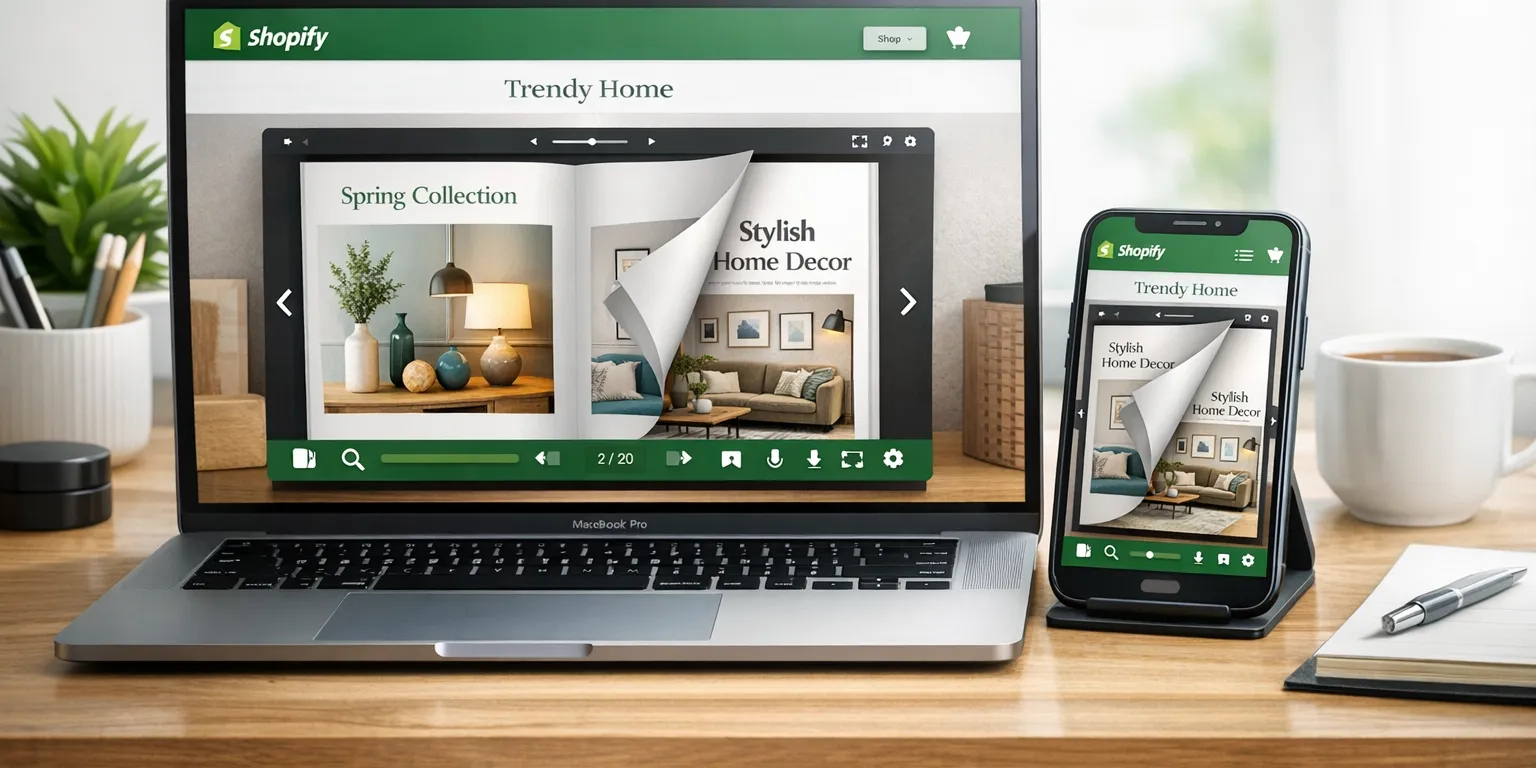
How to Create a Shopify Lookbook Customers Can Browse
Turn scattered product pages into a cohesive, shoppable story. Learn exactly how to plan, design, and publish a Shopify lookbook customers will love, with practical tips and a step-by-step tutorial using Neo Flipbook.

9 min read
On this page
- What is a Shopify lookbook, and why it matters right now
- From catalogs and galleries to a digital lookbook shoppers love
- Essential elements of a compelling digital lookbook
- How to create a Shopify lookbook with Neo Flipbook
- Alternative PDF route, placements, and a quick comparison
- Build a seasonal capsule lookbook, FAQs, and conclusion: your Shopify lookbook plan
What is a Shopify lookbook, and why it matters right now
I still think about a shopper I met years ago. She tried on a cropped moto jacket, grinned, then stalled. "What pants? What boots?" In-store, I could pull a full look and the decision clicked. Online, a Shopify lookbook plays that stylist role. It's a visual story that arranges products into ready-to-style ideas, so customers stop guessing and start seeing the full picture.
When I say "Shopify lookbook," I mean an interactive, shoppable experience that moves people from inspiration to product pages without friction. It shines for fashion, jewelry, home decor, and lifestyle stores because styling is half the sale. Instead of sending shoppers into filter tunnels, a digital lookbook offers clear spreads, short copy that sets the mood, and natural-feeling product links. This isn't fluff; context creates confidence. Nielsen Norman Group has shown that strong, context-rich imagery supports conversion (source).
Here's how it differs from the usual suspects:
- Product catalog: A structured list with specs, pricing, and SKUs. Great for completeness, weak for romance or styling.
- Image gallery: A grid of photos with little context. Pretty, but it doesn't reliably guide people to the right items.
- Digital lookbook (the win): A narrative set of spreads with outfits, room scenes, or themed groupings, plus clear product links and concise copy.
The business case is simple. When shoppers see how pieces work together, they click fewer filters, explore more pages, and buy multiple items. Expect deeper sessions, bigger carts, and fewer dead-end bounces. Featured image idea: a collage of three lookbook spreads showing a fall outfit, a layered jewelry stack, and a living room vignette. Alt text: Lookbook collage showing styled outfits and home decor with product captions.
My best tip: decide the story before you build. Pick one problem and solve it with clarity—winter layering, minimalist jewelry pairings, or small-apartment makeovers. The tighter the theme, the smoother the shopping path and the stronger your Shopify lookbook feels.
From catalogs and galleries to a digital lookbook shoppers love
I learned the hard way that "more images" doesn't equal more sales. A product catalog is perfect when someone knows the name, size, or SKU. An image gallery sets a vibe but leaves people guessing. A digital lookbook sits between them. It feels editorial, but every spread points to action. If you want shoppers to move from "that's pretty" to "add to cart," build a Shopify lookbook that pairs styled scenes with clear product labels, prices, and links.
Here's the split. The catalog is your inventory backbone: sortable, filterable, and fast for spec hunters and wholesale buyers. The gallery is your mood setter—great as a campaign hero—but often a dead end without product context. The digital lookbook is the bridge. It curates, guides, and nudges. Each page groups items that live well together, then gives a clean path to the product page. If you want a quick primer on why lookbooks convert, this Shopify article is a solid read: how to make a lookbook.
Strong lookbook concepts I reach for when time is tight and the season is moving fast:
- Seasonal collections: spring linens, summer festival fits, fall layers, holiday party edit.
- Complete outfits: head-to-toe looks with shoes, bags, and outerwear, each item linked.
- Jewelry pairings: foundational pieces layered with a statement for day-to-night.
- Furniture collections: living room refresh with sofa, rug, lighting, and accents styled together.
- Product launches: spotlight a hero item and show three to five ways to wear or style it.
Make it interactive without bloating the page. Keep the energy crisp and the next click obvious:
- Add short tips like "Try the cropped jacket with high-rise trousers."
- Use swatches for available colors beside the product name.
- Include a micro index every 6–8 spreads so shoppers can jump easily.
If you offer both, let the product catalog serve spec-seekers, while the lookbook invites browsing and discovery. That split respects different shopping styles. My rule: if the shopper has a model number in mind, send them to the catalog. If they're building a vibe, guide them through the lookbook. When in doubt, link each spread to the matching collection so inspiration always has a next step.
Essential elements of a compelling digital lookbook
Great lookbooks start with honest photography. I ask for crisp light, clean backgrounds, and a clear point of view. Shoot each product three ways: a full scene for context, a half-body or half-room crop to frame the hero, and a close-up for texture. Keep light consistent so colors don't drift. A soft reflector beats heavy retouching. If you sell a linen blazer, photograph it in morning light with the same wall tone and floor so the story feels steady page to page.
- Layer knits over shirts.
- Pair metals with matte fabrics.
- Soften with warm socks or throws.
- Brighten with a silk cami.
- Ground with dark denim or oak furniture.
Design pulls the photos into a system. Set repeatable margins, pick two type styles, and stick to a palette that echoes your brand. Consistency lowers mental load, so products do the talking. Plan the arc: open with a theme spread that sets mood, follow with three to five spreads that deepen the idea, end with a round-up that names the featured pieces. I like microcopy that earns space: one-sentence subheads, 12–16px body text, and short notes on fit, care, or styling.
Price transparency matters. If sizes change cost, show ranges. Every item needs a clear name, price, and link to its Shopify product page. Skip tiny link icons. Use obvious buttons or labeled product cards, and keep tap targets large. On mobile, stack modules in a calm order, mind vertical rhythm, and test with your thumbs. Most shoppers browse on phones—design for that first.
Respect accessibility and speed. Aim for solid color contrast, write alt text that describes purpose, and use descriptive links like "View the linen blazer." If you want a standard, review the WCAG guidelines. Compress images, keep motion subtle, and avoid heavy scripts. When in doubt, remove clutter. Space is your silent stylist.
How to create a Shopify lookbook with Neo Flipbook
I start by picking a tight story, not a warehouse dump. Choose a Shopify collection like Fall Layers or hand-select a dozen products that actually belong together. A focused set makes decisions easier and keeps the lookbook breathing. Aim for a clear promise on page one. If I'm building a Shopify lookbook for outerwear, I'll limit it to jackets, two base layers, one pant cut, and a few shoes that tie it all together.
Next, I create a new flipbook from products in Neo Flipbook, select my Shopify items, and let the tool generate starter pages with product cards. Then I shape the experience. I choose a clean theme that mirrors the brand, drop in a cover with a hook like "The Capsule Wardrobe: 12 Pieces, 36 Outfits," and tune margins and grid density. My go-to is a 2–3 column layout on desktop and a single column on mobile so every item feels intentional, not squeezed.
Product cards need to earn the click. I add a 1–2 line description in plain language, the current price, and a direct link to the Shopify product page. Keep labels concrete, like "Shop the ribbed turtleneck." One catch worth calling out: product catalogs in Neo Flipbook don't auto-update when inventory or pricing changes, so I schedule manual refreshes after merchandising tweaks. Boring admin, but it prevents "price shock" and broken flows.
Before publishing, I preview on mobile and check tap targets, caption size, and how spreads stack. When it feels smooth, I publish and share. Embedding a flipbook on a Shopify page is simple, and a lightbox from a homepage banner pulls strong engagement. If you need page setup help, see Shopify's guide to pages at Shopify Help Center. PDFs also work in Neo Flipbook, but they're not automatically shoppable. For buy-ready flows, build from products.
- Ways to share: embed on a Shopify page, trigger a lightbox from a banner or collection button, and share the public link in email, SMS, and social profiles.
- Quick QA before you ship: links resolve to the right product pages, pricing is current, alt text is written, headlines scan fast, and the cover plus first spread hook attention within three seconds.
Alternative PDF route, placements, and a quick comparison
If you already have a polished PDF lookbook, the fastest path is to upload it to Neo Flipbook and present it as a page-turning experience. It feels like a real catalog, which is great for seasonal edits or brand books. Just keep expectations straight: a PDF flipbook is for browsing and brand mood. It doesn't magically gain clickable product hotspots or add-to-cart. If you want shoppable links, build from Shopify products inside Neo Flipbook, or place clear "Shop this look" buttons above or below the embed. Also, compress the file and keep page text large enough to read on phones. Shopify's file limits are worth a quick skim: Shopify file uploads.
For PDF-first setups, I like a simple structure: a hero spread, 6–12 product spreads, and a closing page with a short brand note. Add product codes on each spread so staff can match items quickly. Then pair the embed with a small sticky bar that says "See products from this lookbook," linking to a curated collection. It's boringly practical—and it works.
Where to place your lookbook
- Homepage: Use a hero banner like "Explore the Holiday Party Edit." Open it in a lightbox so visitors keep their scroll position when they close it.
- Collection pages: Add a module near the top that says "See 8 ways to style these knits."
- Seasonal landing pages: Make the lookbook the main content and surround it with featured products.
- Email: Tease two spreads and add a "View the full lookbook" CTA.
- Social: Post a 10–15 second flip-through and link to the lookbook URL.
Comparison: image gallery vs product-linked digital lookbook
- Purpose: Gallery is an aesthetic showcase. Digital lookbook drives discovery and conversion.
- Navigation: Gallery is a scroll or grid. Digital lookbook uses sequential spreads with a mini index.
- Product context: Gallery often lacks names, prices, or links. Digital lookbook labels each item with price and a link to the Shopify product page.
- Mobile experience: Gallery quality varies by theme and can feel endless. Digital lookbook is skimmable and tap-friendly.
- Maintenance: Gallery updates happen in theme sections. Digital lookbook needs manual product data refresh in Neo Flipbook when items change.
Pro tip: If you must start with a PDF, create a companion page that lists the exact products with direct links. People browse the flipbook, then act fast on the list.
Build a seasonal capsule lookbook, FAQs, and conclusion: your Shopify lookbook plan
For our fall capsule, I keep the promise simple: 12 pieces, 36 outfits. Warm neutrals meet city layers. I open with a bold cover, then a mood spread with textures (herringbone, rib knit, a coffee-stained sidewalk scene). Three outfit spreads follow, each with two-line notes and a small panel of occasion ideas. I close with an accessories spread and a neat recap. Every item name links to its Shopify product page with the price visible. On mobile, I stack outfit images first, then a product list, so people feel the vibe before they study specs.
The lineup that never lets me down looks like this. It's lean, flexible, and wearable when rain hits or the office runs cold. I pair one anchor with one texture and one contrast for each outfit to keep styling quick.
- Trench coat, blazer, wool coat
- Two knits, tee
- Denim, trouser, skirt
- Boots, loafers, scarf (plus small jewelry accents)
Merchandising tips you can steal for any lookbook: use the anchor rule (start with one anchor piece, add one texture, one contrast). Repeat a color twice in each outfit so it feels intentional. For home decor, zone the room: pick a hero piece, ground it with a rug and lighting, then layer smaller decor.
FAQs
- How long should my lookbook be? 8–16 pages keeps people reading without fatigue.
- What size images work best? Use 1600–2000px on the long edge, then compress. Shopify's image tips are solid: https://help.shopify.com/en/manual/online-store/images/best-practices
- Can I update prices automatically in Neo Flipbook? No. Plan a manual data refresh when products change.
- Should I hide low-inventory items? If it causes frustration, remove them. Otherwise label as limited and keep the link.
Conclusion: a Shopify lookbook ties your brand's visuals to clear shopping paths. Tell a simple story, keep copy skimmable, and link every item to its product page so customers can imagine, choose, and check out. If you're ready, try Neo Flipbook to create a digital lookbook Shopify shoppers can browse with ease. Start here: https://neoflipbook.com/ and publish your first lookbook on your store.

Written by
Amir Hakim
Amir writes the Neo Flipbook guides on product catalogs, lookbooks and selling on Shopify.