Best Shopify Flipbook Apps in 2026: What to Compare
Comparing Shopify flipbook apps can feel messy. I break down what matters, explain the differences between PDF viewers, animated flipbooks, catalog builders, and shoppable tools, and share practical picks for lookbooks, line sheets, menus, and more—plus a clear checklist and FAQs.

10 min read
On this page
- What to expect from the best Shopify flipbook apps in 2026
- PDF viewer vs animated flipbook vs catalog builder vs shoppable catalog
- The tools on my shortlist: strengths, use cases, and cautions
- Feature comparison: what to verify before you choose
- Which features matter for your use case
- Shopify-native app or general publishing platform?
- Putting it all together: why Neo Flipbook fits, a buying checklist, and FAQs
What to expect from the best Shopify flipbook apps in 2026
You have a gorgeous PDF and a story that deserves more than a static link. Then you search "best Shopify flipbook apps" and hit a mashup of tools: some flip pages, some build catalogs from products, some feel like full publishing suites. I have been in that maze. Here's my filter before I even start a trial.
I want a clean, Shopify‑native setup. If I cannot drop a flipbook into a product page or landing page with app blocks, I move on. Performance is non‑negotiable—heavy PDFs and flashy WebGL can tank mobile. Shopify backs this with performance best practices (source).
- Shopify‑native integration with app blocks and easy theme placement
- Solid PDF handling: compression, lazy loading, clear text on mobile
- Optional page‑turn or 3D animations that degrade gracefully
- Clean product linking from spreads or simple product navigation
- Mobile responsiveness with readable zoom and sane tap targets
- Embed and lightbox options for PDPs, blogs, lookbooks
- Transparent pricing—no surprise watermarks or view caps
- Basic analytics for views, clicks, exits by page
Two traps I avoid: WordPress‑first plugins rarely map cleanly to Shopify themes and blocks, and big publishing platforms can be great but force you to learn a whole studio just to share a catalog. If shoppable spreads are on your roadmap, save that energy for later: How to Create a Shopify Lookbook Customers Can Browse.
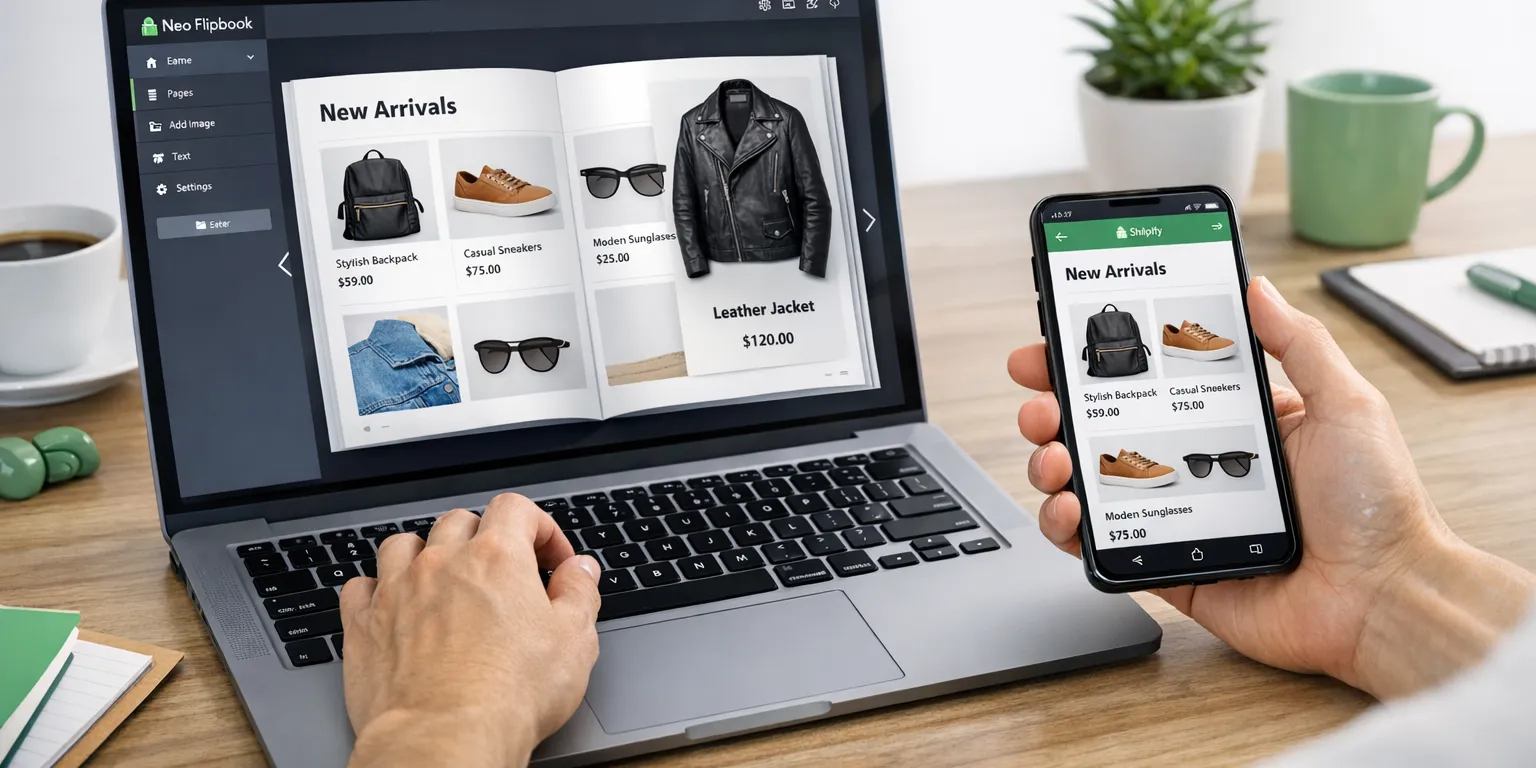
Suggested featured-image alt text: "Shopify merchant comparing flipbook and catalog apps on a laptop."
PDF viewer vs animated flipbook vs catalog builder vs shoppable catalog
Labels blur in app stores, so I draw clean lines. A PDF viewer is the simplest path: upload, render pages in a scroller or grid, zoom, done. Setup takes minutes, performance mostly tracks file size, and accessibility is usually stronger than with heavy animation. The tradeoff is commerce friction—variant selection, live pricing, and cart actions tend to live outside the viewer. If accessibility matters, a basic viewer is often safest for WCAG. Tip I use: test on a mid‑range Android over 4G and note time to first interaction.
An animated flipbook wraps that same PDF with page turns and shadows. It nails the print‑lookbook vibe and can lift perceived polish for seasonal stories. But the cost is weight: textures and WebGL can stall older phones, and the UI can hide native browser tools. I watch memory usage and check that it falls back to a simple viewer on small screens. If it cannot, I reserve it for campaign landers, not everyday navigation.
A product catalog builder starts from Shopify data. You place products, collections, and price lists into templates, then publish as web pages or export a PDF. Accuracy is the win: prices, SKUs, and stock stay aligned, and edits are fast. I lean on this for wholesale line sheets, menus, or anything changing weekly. My checklist: multi‑variant tables, quick filters, bulk image swaps—if yes, I stop babysitting InDesign exports.
A shoppable catalog blends both worlds. Import a PDF or build pages in‑app, then add hotspots that jump to PDPs or a prefilled cart. Done well, it keeps art direction while shortening the path to purchase. I look for variant deep links, link analytics, and a lightbox embed for landing pages. If you expect frequent updates, go product‑driven. If you want magazine flair for a launch, use animated flips with fallbacks. I'll map these to real tools next and in the Digital Product Catalog vs PDF: What Works Best for Shopify?.
The tools on my shortlist: strengths, use cases, and cautions
I keep this shortlist tight. Most shops need fit, not ten tabs. Neo Flipbook (https://neoflipbook.com/) keeps things simple in a good way—Shopify‑native, clean PDF handling, and product‑built catalogs when you're ready. I use it when a team wants a designed lookbook this week, then product‑generated pages next quarter. As with any app, know your embed count per template and how you want viewers to open from PDPs.
Real3D FlipBook (https://real3dflipbook.com/) wins fans for glossy page turns. If the flip is core to your brand, test it. Confirm the Shopify integration, embed method your theme supports, and behavior on smaller screens. I've seen stunning desktop demos turn cramped on mobile. If you care about Lighthouse, read Shopify's notes: https://shopify.dev/docs/themes/best-practices/performance.
Issuu (https://issuu.com/) is a broader publishing platform. It shines for distribution, public embeds, and analytics outside Shopify. For digital magazines, seasonal storytelling, or press kits, it makes sense. The tradeoff is extra glue work to connect readers to product pages—plan CTAs, use UTM‑tagged links, and track attribution.
GA: PDF Catalog + PDF FlipBook (https://apps.shopify.com/pdf-catalogs-flipbook) sits in the Shopify App Store and offers both flipbooks and catalog tools. Review product linking, mobile performance, and any page or view caps. Simple PDF Flipbook (https://apps.shopify.com/pdf-flipbook) is quick to set up for menus, brochures, and basic lookbooks. Confirm SEO settings, lightbox support from PDPs, and internal link behavior. Note: Interactive 3D FlipBook – Physics Engine (https://wordpress.org/plugins/interactive-3d-flipbook-powered-physics-engine/) and 3D FlipBook dFlip Lite (https://wordpress.org/plugins/3d-flipbook-dflip-lite/) are WordPress plugins, not native Shopify apps.
Before you commit, I run these quick checks in 20 minutes:
- Mobile pinch‑zoom, first‑page load, and tap targets on key spreads
- Links into PDPs, collections, or search without dead ends
- Embed and lightbox behavior inside your theme sections
- SEO controls for index/noindex and page titles
- Usage limits, watermarks, and viewer branding on lower plans
Feature comparison: what to verify before you choose
Here's the checklist I actually use in real stores with messy PDFs and mobile traffic. Flashy demos lie; behavior under load tells the truth. Confirm pricing, limits, and integrations on each product's site. If a detail is fuzzy, skip it—guesses get expensive later.
Shopify‑native integration. Look for a simple install, Online Store 2.0 blocks, and theme compatibility so you can drop a flipbook into PDPs, home, or custom sections without custom code. If an app relies only on iframes, test with your theme sections and cart drawer. Shopify's docs on blocks help: Shopify Help Center: theme blocks.
PDF and catalog depth. Can you handle large files, compress on the fly, and search inside the PDF? For product‑built catalogs, check drag‑and‑drop product blocks, collection import, variant/price display, and whether links open PDPs or quick add. Animations should be optional with a fallback for older phones. On mobile, expect pinch‑to‑zoom, tap‑friendly controls, and text that's legible at normal zoom.
Embedding and UX. You'll want inline embeds for PDPs and collection pages, plus a lightbox launcher for lookbooks and blogs. Free plans are fine for smoke tests; watch for watermarks, page caps, or view limits. Pricing can hinge on page count, views, or seats—map it to your peak season, not your quiet month. If conversions matter, plan your story flow now: .
[Table: Shopify Flipbook App Comparison — Neo Flipbook | Real3D FlipBook | Issuu | GA: PDF Catalog + PDF FlipBook | Simple PDF Flipbook]
Transparency: this guide is published by NeoFlipbook.com. I'll flag where Neo Flipbook shines and point to alternatives when they're a better fit. Want a deeper look or to test on a staging theme? Explore Neo Flipbook at https://neoflipbook.com/.
Which features matter for your use case
Fashion lookbooks live or die on feel. I want crisp images, tight file sizes, and animations that don't slow the first page. If a page turn looks cute but stalls on 4G, I turn it off. Product links should be effortless: tap a spread, land on the PDP, done. I also test one‑handed mobile zoom because that's real life on a couch. Bonus points for swipe navigation, lazy‑loaded images, and a clean lightbox for close‑ups.
Wholesale line sheets need data, not drama. I prefer catalogs that pull titles, SKUs, and pricing from Shopify so I'm not maintaining two sources. If buyers work offline, exportable PDFs or shareable links help. Search that finds SKUs and variant codes saves time; page indexing helps reps jump to sections. I'll skip fancy animation for faster render, predictable text selection, and reliable copy‑paste into POs.
Menus and price lists change constantly, so product‑generated pages win. Update once, publish instantly, move on. Keep typography large, spacing roomy, and contrast strong. On phones, anchor links or a sticky table of contents help readers hop between sections. For digital magazines and editorials, Issuu leans into publishing and discovery. That's great for reach—as long as you route readers back to Shopify with clear PDP links or "shop the story" modules that don't feel bolted on.
Product brochures benefit from a polished PDF with light interactivity. I prioritize file optimization, a fast first page, and a simple fallback if the embed hiccups. Across all of these, I check SEO for the landing page, add analytics for opens, page turns, and PDP clicks, and do a basic accessibility pass. Test keyboard navigation and screen readers against practical goals. The WCAG guidance is a steady compass. If you need a shortcut, see .
Shopify-native app or general publishing platform?
Here's my fork in the road. If your goal is to move readers from a catalog page to a PDP with near‑zero friction, pick a Shopify‑native app. Native tools keep traffic on your domain, honor theme settings, and make attribution clean. That matters for SEO inside Shopify and day‑to‑day reporting. I lean native for seasonal lookbooks, wholesale line sheets, and brochures tied to active SKUs.
Choose a general publishing platform when reach beats tight integration—magazine stories, public libraries, partner sites, newsletters. Issuu fits that brief. You get broad distribution and polished reading flows, but you'll add extra glue to send people back to products. You may also give up some control over how SEO accrues to your domain, and embeds can feel slightly detached from your storefront.
If you're torn, pilot both. Publish one lookbook natively; ship a separate editorial issue on a publishing platform. Watch three numbers for two weeks: click‑through to PDPs, time on page, and completion rate on mobile. If you sell wholesale or update weekly, the operational ease of product‑built catalogs usually beats pure animation flair. If your brand leans editorial, a platform spread can widen your audience—just build strong "shop this page" paths.
Before rollout, test the boring parts. Confirm theme compatibility, check performance on your slowest devices, and preview embeds inside your real PDP and collection templates. Try sticky CTAs, generous tap targets, and fast‑loading thumbnails. Keep a tight punch list and compare it against your must‑haves in our . When the table and your pilot point the same way, you've got your answer.
Putting it all together: why Neo Flipbook fits, a buying checklist, and FAQs
If you want a clean PDF flipbook today and product‑based catalogs tomorrow, Neo Flipbook hits a practical middle. It keeps embeds simple, behaves well on phones, and points shoppers back to real PDPs instead of trapping them in a viewer. When a client needed glossy page turns, I pointed them to Real3D FlipBook, then we stress‑tested it on older phones. For magazine‑style hubs with social distribution, Issuu makes sense, even if it sits slightly outside the Shopify workflow. Need a basic in‑Shopify viewer? GA: PDF Catalog + PDF FlipBook or Simple PDF Flipbook can cover it with light setup.
Here's how I'd decide. If content changes often, go product‑generated so you're not re‑exporting PDFs every week. If you crave a tactile flip feel, test animations on 3G‑like speeds and older devices. If brand reach beyond your store is the goal, a publishing platform helps—just wire strong links back to PDPs. For tracking, set a baseline. A flipbook without analytics is guesswork.
Buying checklist I use with teams:
- Confirm it installs natively in Shopify, and that embeds and lightboxes work in your theme.
- Open a real PDF on mobile. Measure first‑page load time and zoom clarity.
- Map one hotspot to a live PDP, then track clicks.
- Check pricing units—pages, views, or seats—and what happens past limits.
- Review accessibility basics and any non‑animated fallback.
- Add analytics events for open, page change, and PDP click. See .
- Create a draft landing page with SEO title, description, and links to related collections.
Quick picks by use case: fashion lookbooks need animation with a fast mobile fallback and clear "Shop this page" links. Wholesale teams benefit from product‑built catalogs with obvious pricing blocks. Menus change often, so go product‑driven. Editorial magazines fit Issuu—as long as you wire PDP links everywhere.
FAQs
- Q: Is a WordPress flipbook plugin the same as a Shopify app? A: No. Tools like Interactive 3D FlipBook and dFlip Lite are built for WordPress and aren't the same as native Shopify apps.
- Q: Will a flipbook hurt site speed? A: It can if the viewer is heavy. Test your largest PDF on mobile and measure first‑page render.
- Q: Can I build catalogs from Shopify products instead of PDFs? A: Some apps support it. Check the builder flow, PDP linking, and pricing limits.
- Q: How do I track performance? A: Fire events for open, page‑turn, and PDP clicks, then compare conversion to a control page.
Final note on transparency: we publish this on NeoFlipbook.com, and we want you to pick what helps you sell. Verify current features and pricing on each official site before you commit. Ready to try? Visit https://neoflipbook.com/ and spin up a test catalog.

Written by
Amir Hakim
Amir writes the Neo Flipbook guides on product catalogs, lookbooks and selling on Shopify.